SKETCHUP โ†’ PRODUCTION

ArchiWood โ€“ from free SketchUp design to reliable CNC production

ArchiWood is a cabinet & custom furniture design system built directly on SketchUp. It keeps the free-form modeling feeling designers love, but adds parametric cabinets, nesting and CNC output so the same model can go straight to the factory without being redrawn.

What you see in SketchUp is what you manufacture: doors, carcasses and panels are parametric, connection rules are embedded, and production logic is repeatable from project to project.

๐Ÿ‡จ๐Ÿ‡ณ Chinese & ๐ŸŒ English support ยท Remote training for factories and studios worldwide.

PHILOSOPHY

SketchUp freedom, factory-grade control

ArchiWood is a second-layer development on top of SketchUp. SketchUp is already a great tool for visual design and client communication. ArchiWood keeps that direct modeling workflow and simply teaches every panel about its material, edge banding, drilling and connection style. When you place a cabinet, the internal structure, holes and machining logic are generated for you.

For designers, this means you sketch layouts with flexible modules, stretch cabinets to fit any wall and still keep the model parametric. For manufacturers, ArchiWood becomes a production engine: from the design it outputs drawings, optimized nesting, labels, CNC code and reports you can trust on the shop floor.
WORKFLOW

Core workflow & project setup

Define your standards once in the backend, then every new SketchUp project follows the same production logic. From there, layouts, nesting and CNC are generated directly from the design.

Backend ยท Global standards
Backend setup โ€“ cabinet standards

Backend setup ยท cabinet standards

Define global rules such as panel thicknesses, drilling standards and connection types so every new cabinet automatically follows your factory logic. Once saved, these rules are reused across projects and designers.

Backend ยท Materials & hardware
Backend setup โ€“ material and grain rules

Backend setup ยท material & grain rules

Fine-tune material choices, grain direction and hardware rules for specific product lines. ArchiWood keeps track of these options so every nested panel is manufactured with the correct material and tooling.

Nesting
Nesting layout

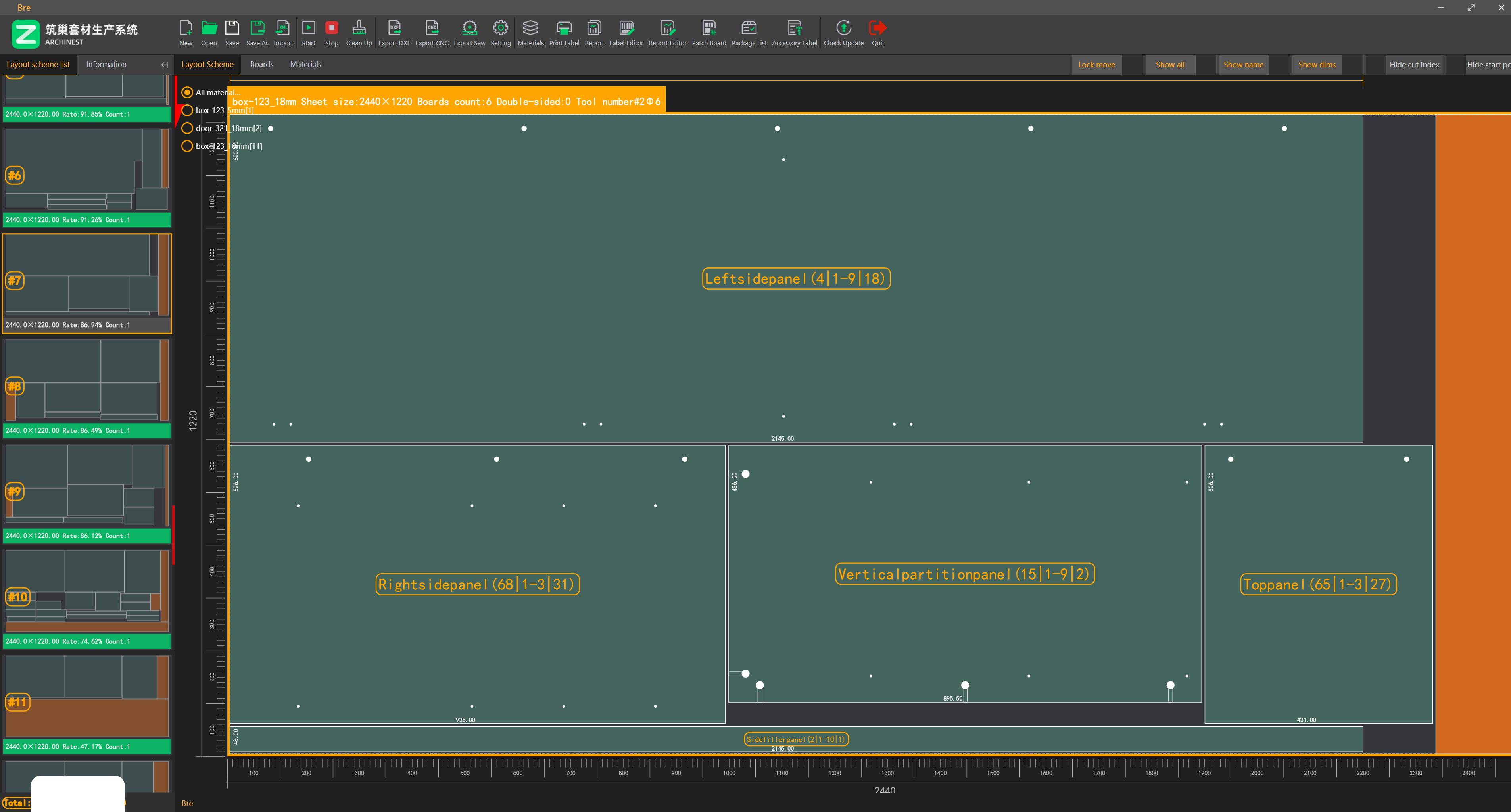
Optimized nesting directly from the model

Generate cutting layouts from the SketchUp model with one command. ArchiWood arranges panels to increase material yield and reduce offcuts. You can still tweak start points, cutting sequence and sheet priorities before sending to the machine.

Nesting ยท operator view
Nesting layout alternate view

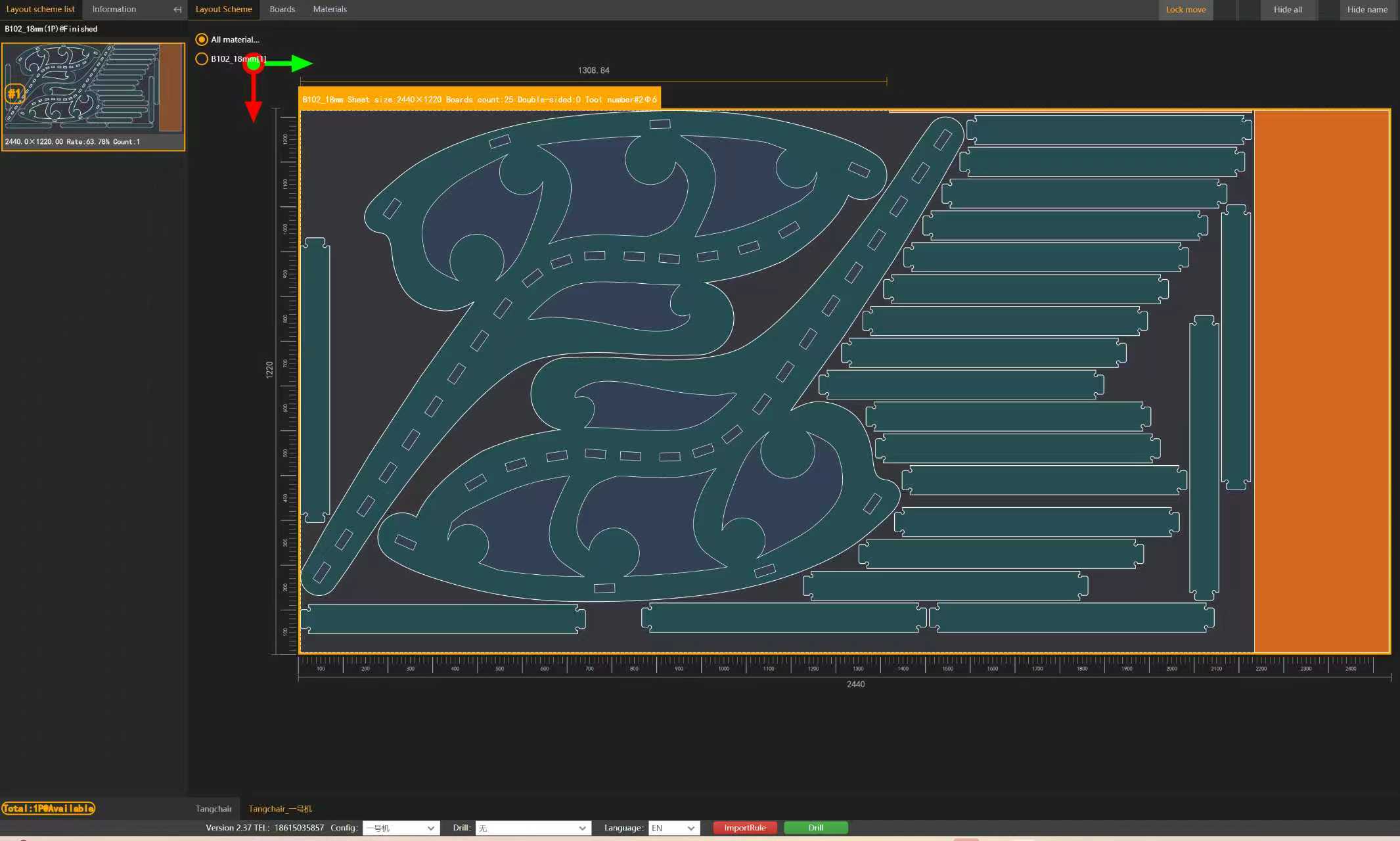
Alternate view for documentation

A compact view of the same job, perfect for documentation, operator briefings or sharing with outsourced manufacturers.

Parametric panels
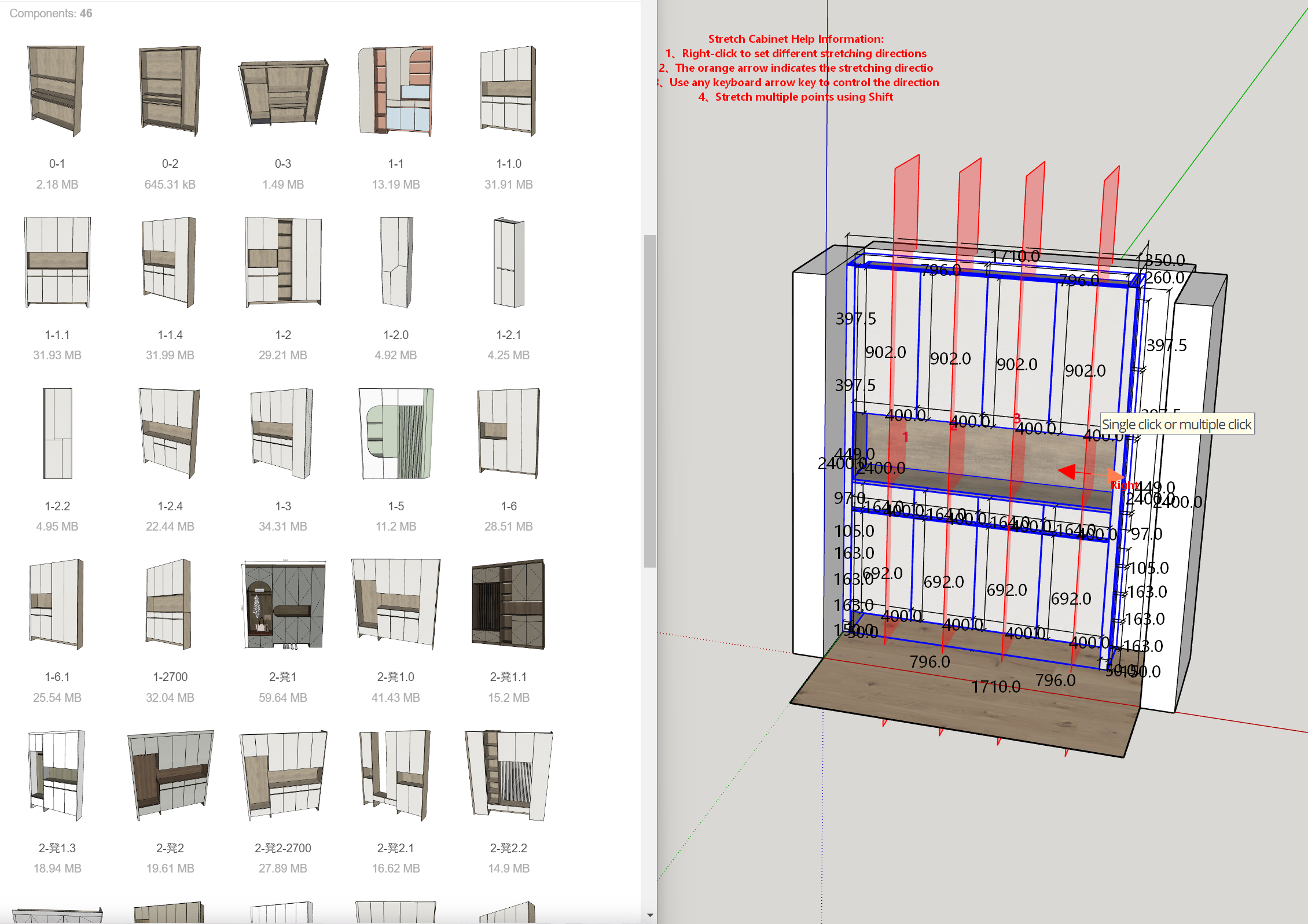
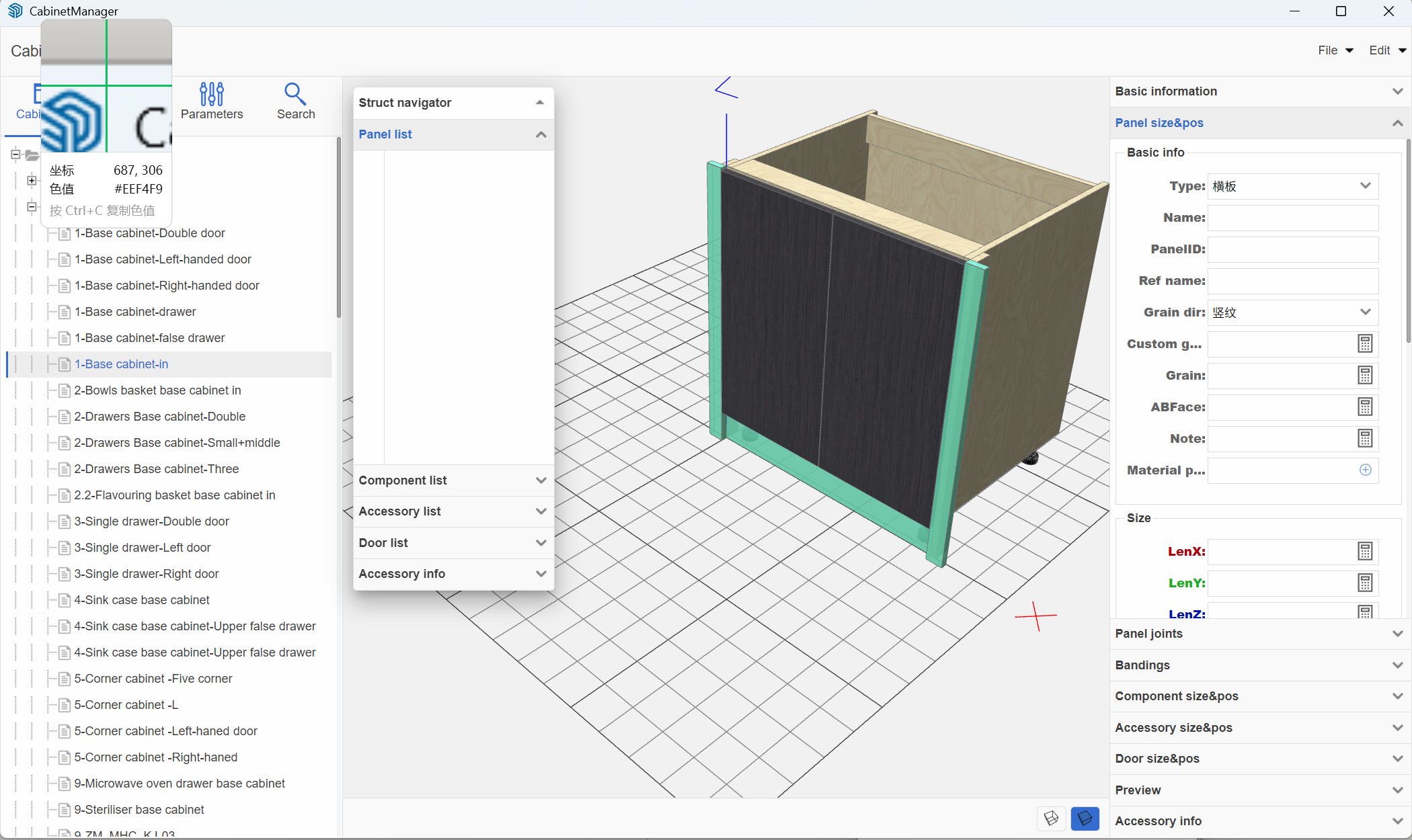
Panel stretching and cabinet resizing

Stretch whole units or single panels

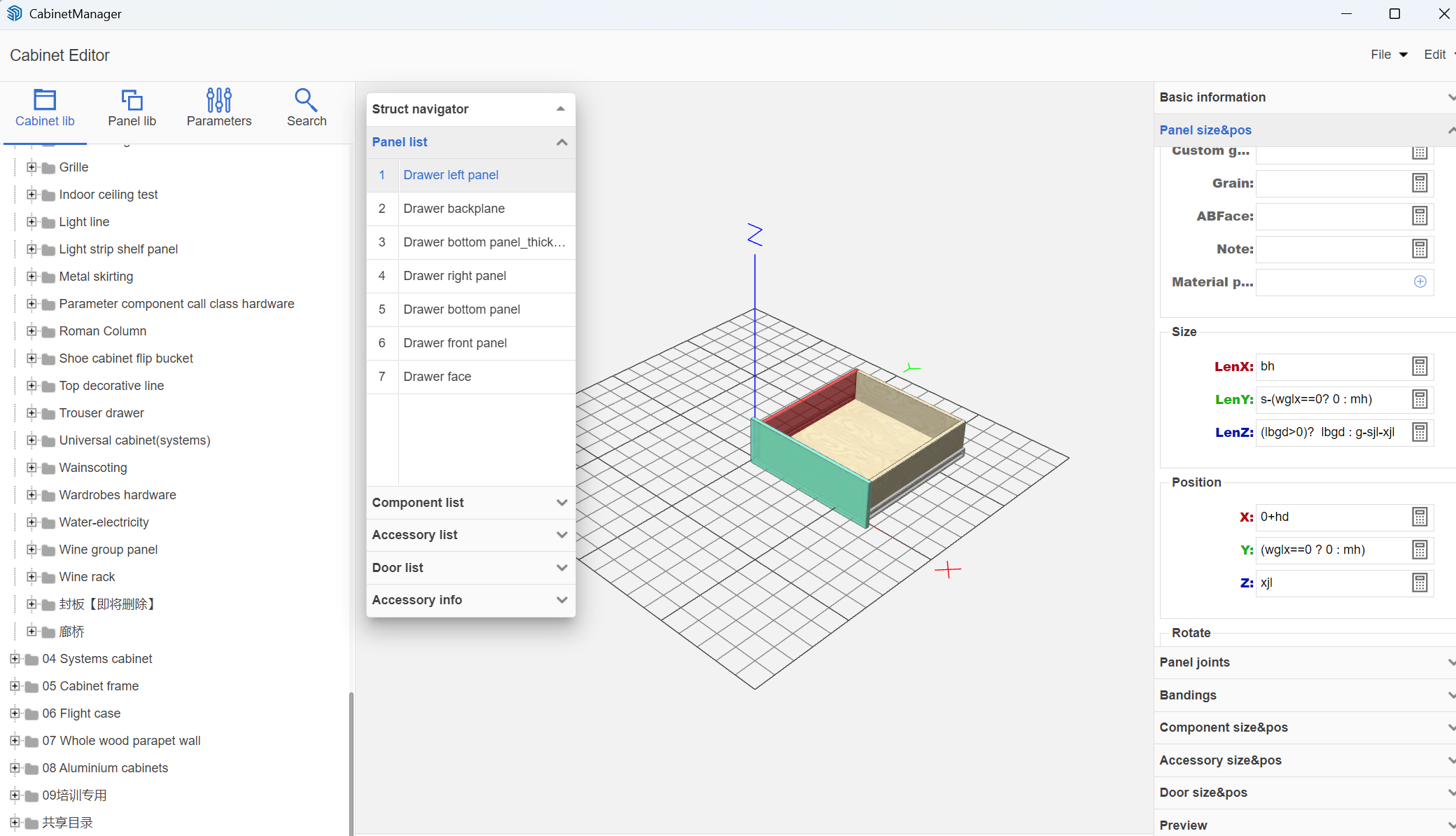
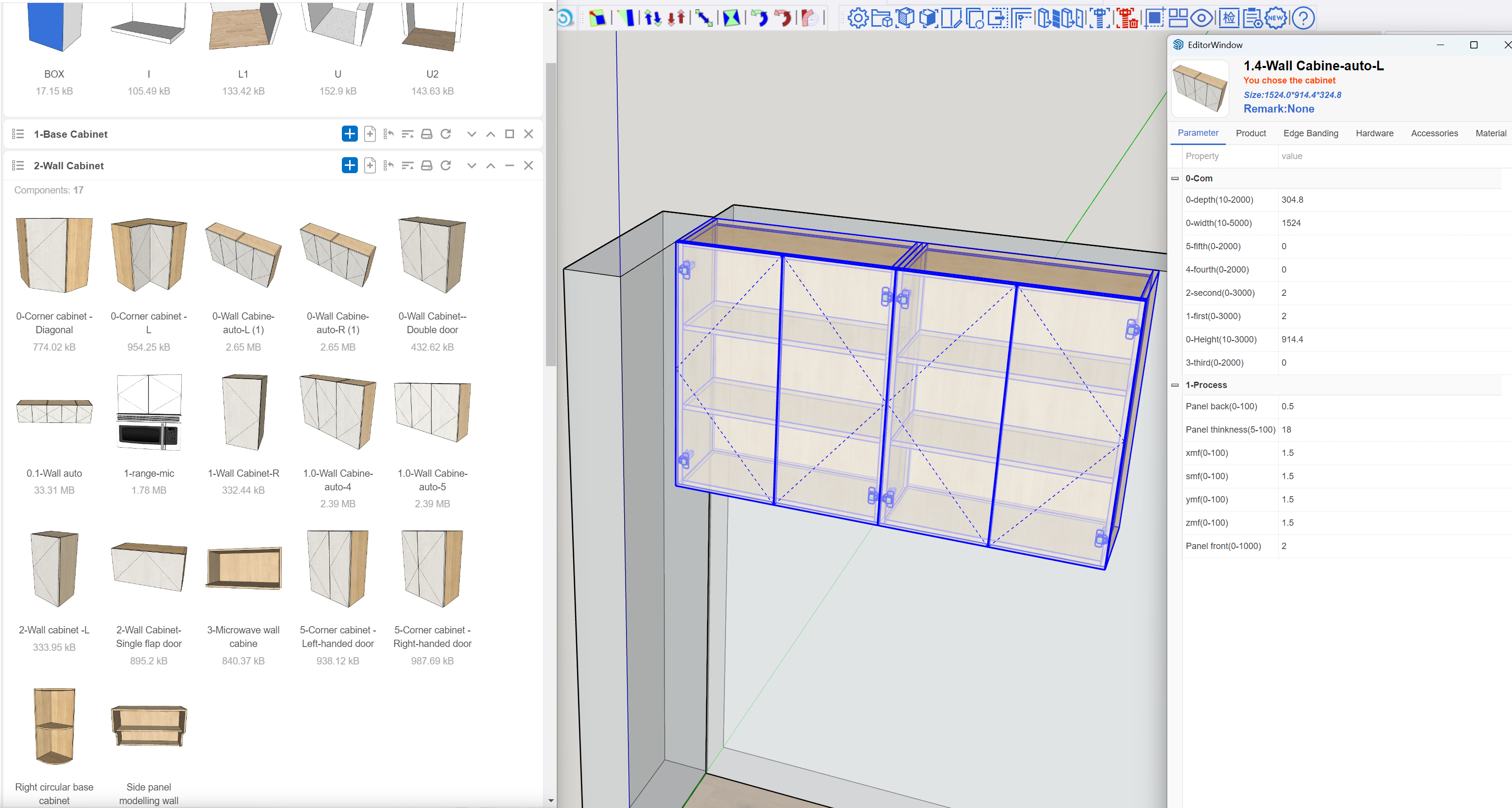
Move a wall or change an appliance size and stretch the whole cabinet run without breaking joints or drilling. ArchiWood updates the carcass, doors, drawers and machining while keeping everything manufacturable.

PARAMETRIC EDITING

Fast parametric tools for everyday cabinet work

In ArchiWood every cabinet stays parametric. You can stretch, split, re-configure and save new layouts while keeping a stable, production-ready structure.

Quick stretch
Quick stretch of entire cabinet run

Quick stretch of an entire cabinet run

Grab one cabinet in a run and stretch it to size. Carcasses, doors, fillers and worktops all update together while ArchiWood maintains joints, reveals and drilling.

Centralised parameters
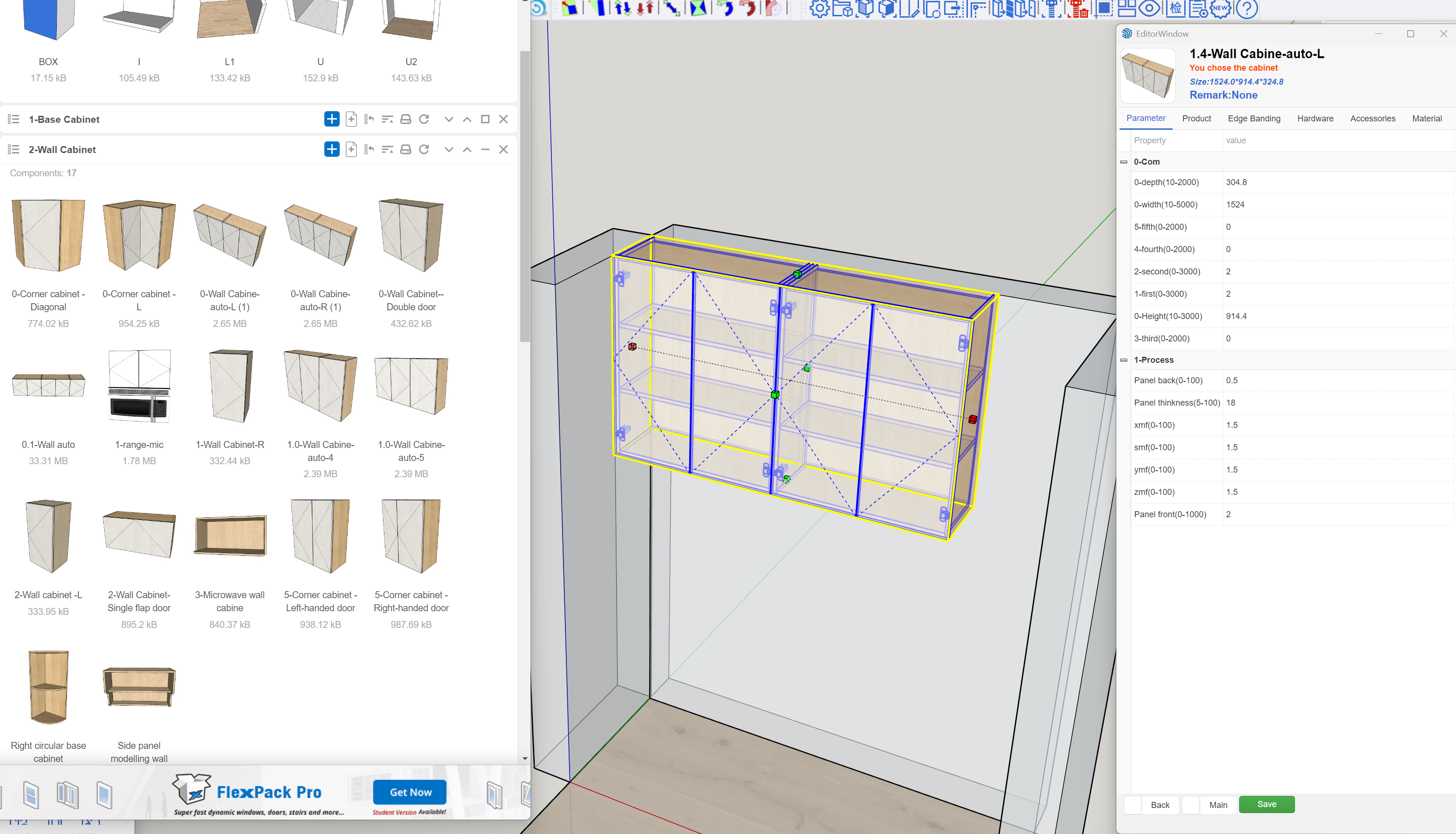
Parameter editing overview

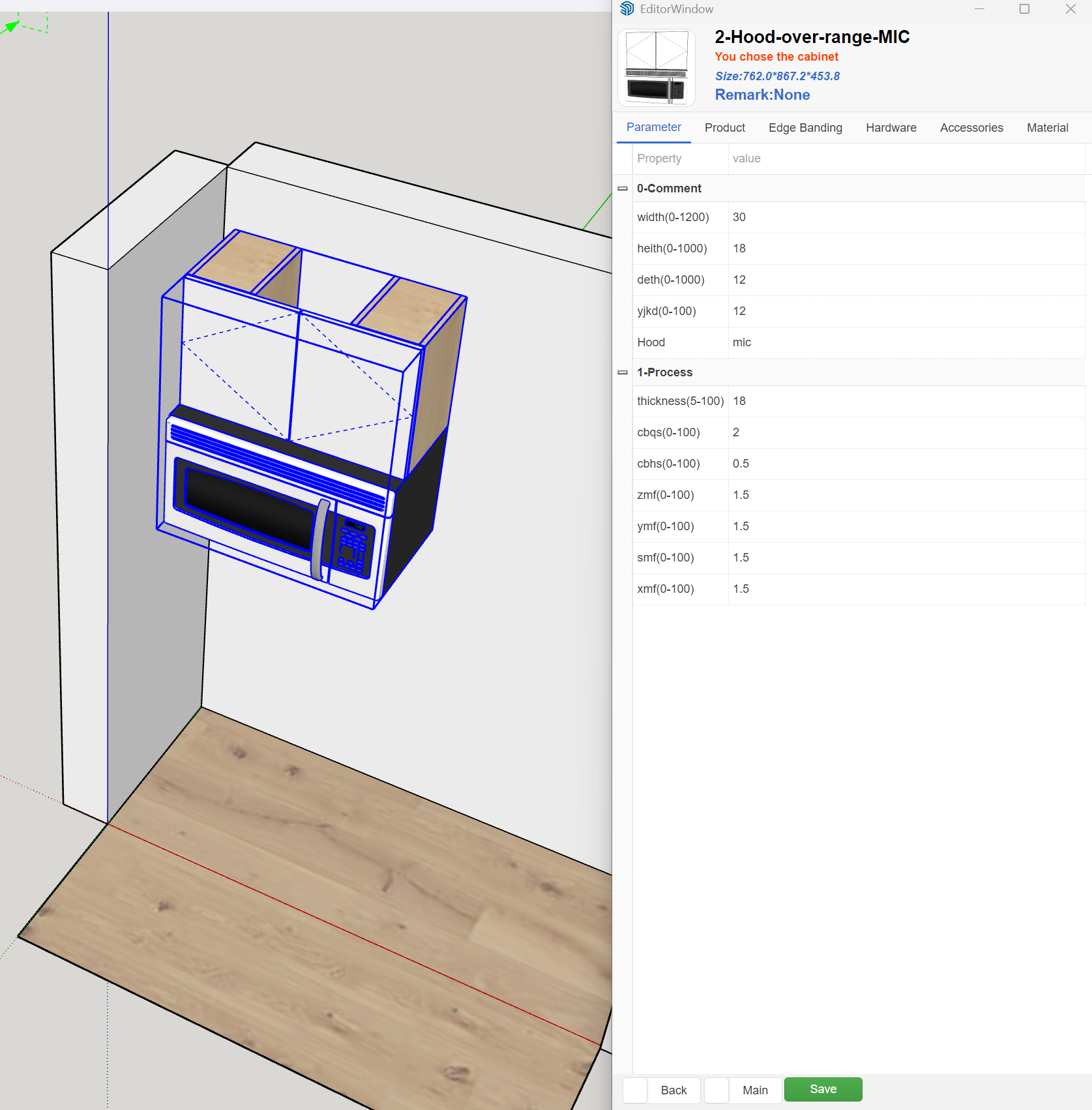
One panel for all key dimensions

Use a single parameter panel to drive width, height, depth, toe kicks, back options and many more controls. Designers change values once โ€“ all affected parts update instantly.

Vertical divisions
Editing vertical divisions

Insert or remove vertical divisions

Quickly insert, remove or move vertical divisions while keeping hardware rules and machining consistent.

Drawers & fronts
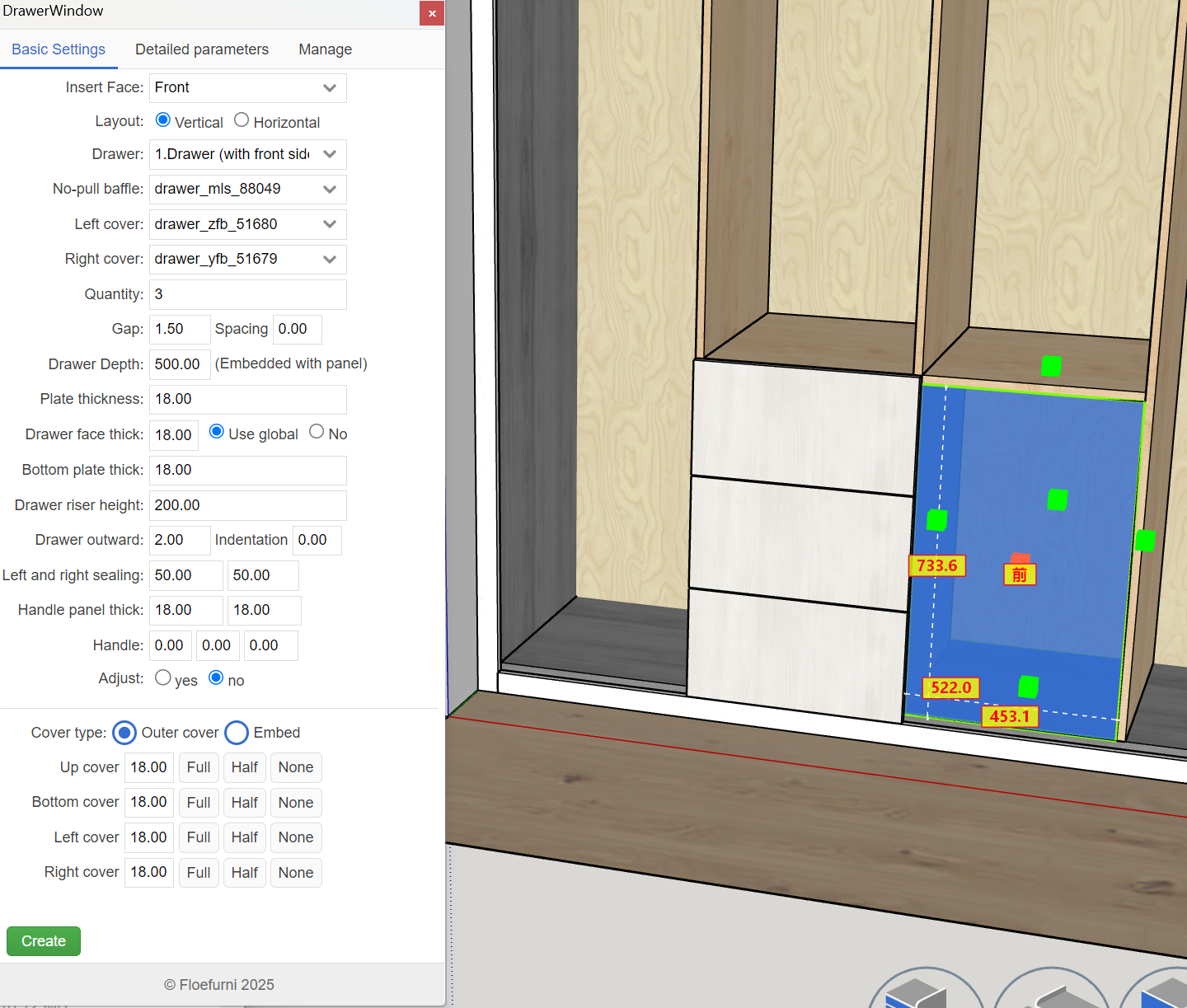
Parameter editing drawers and fronts

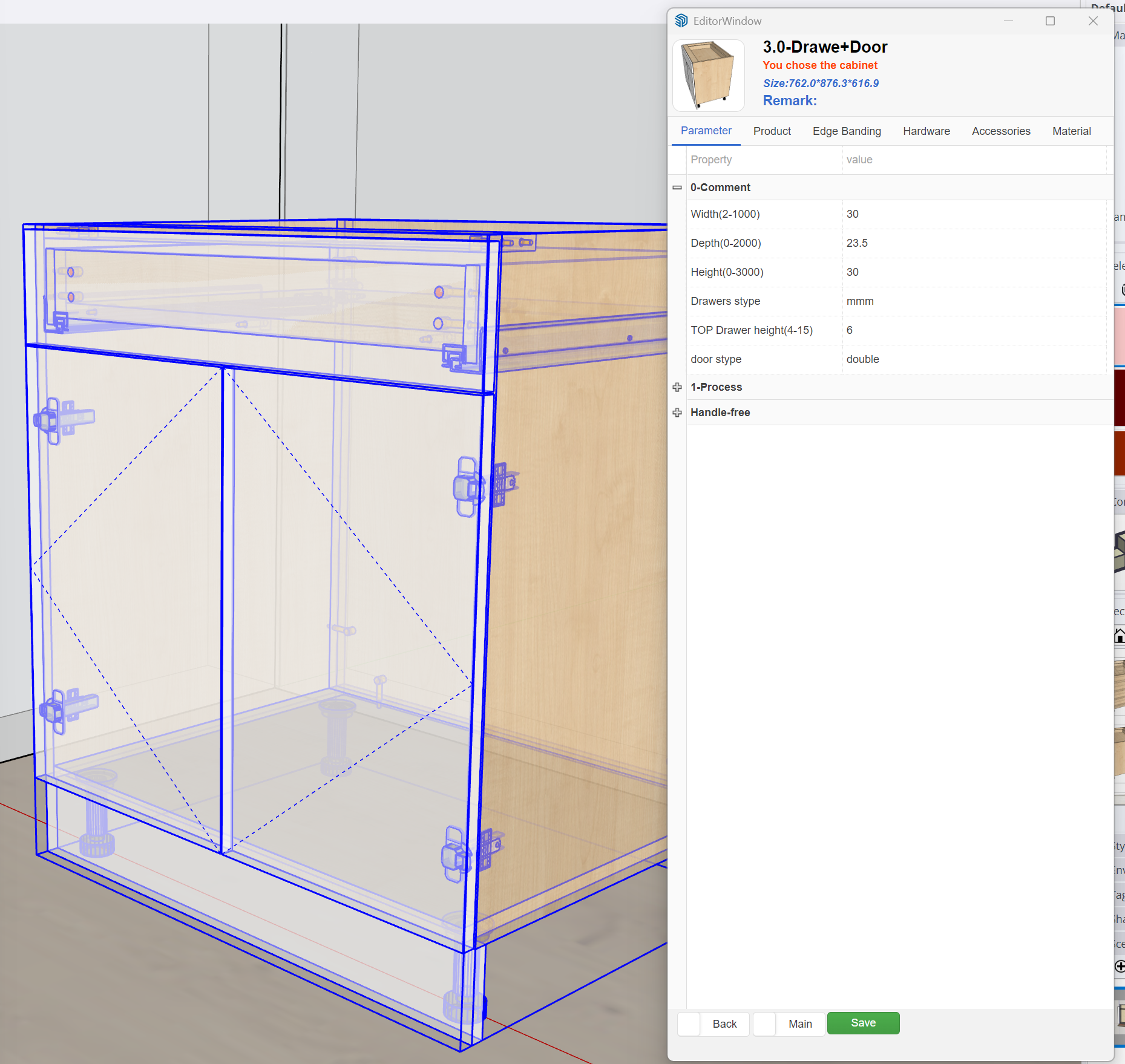
Configure drawers & fronts

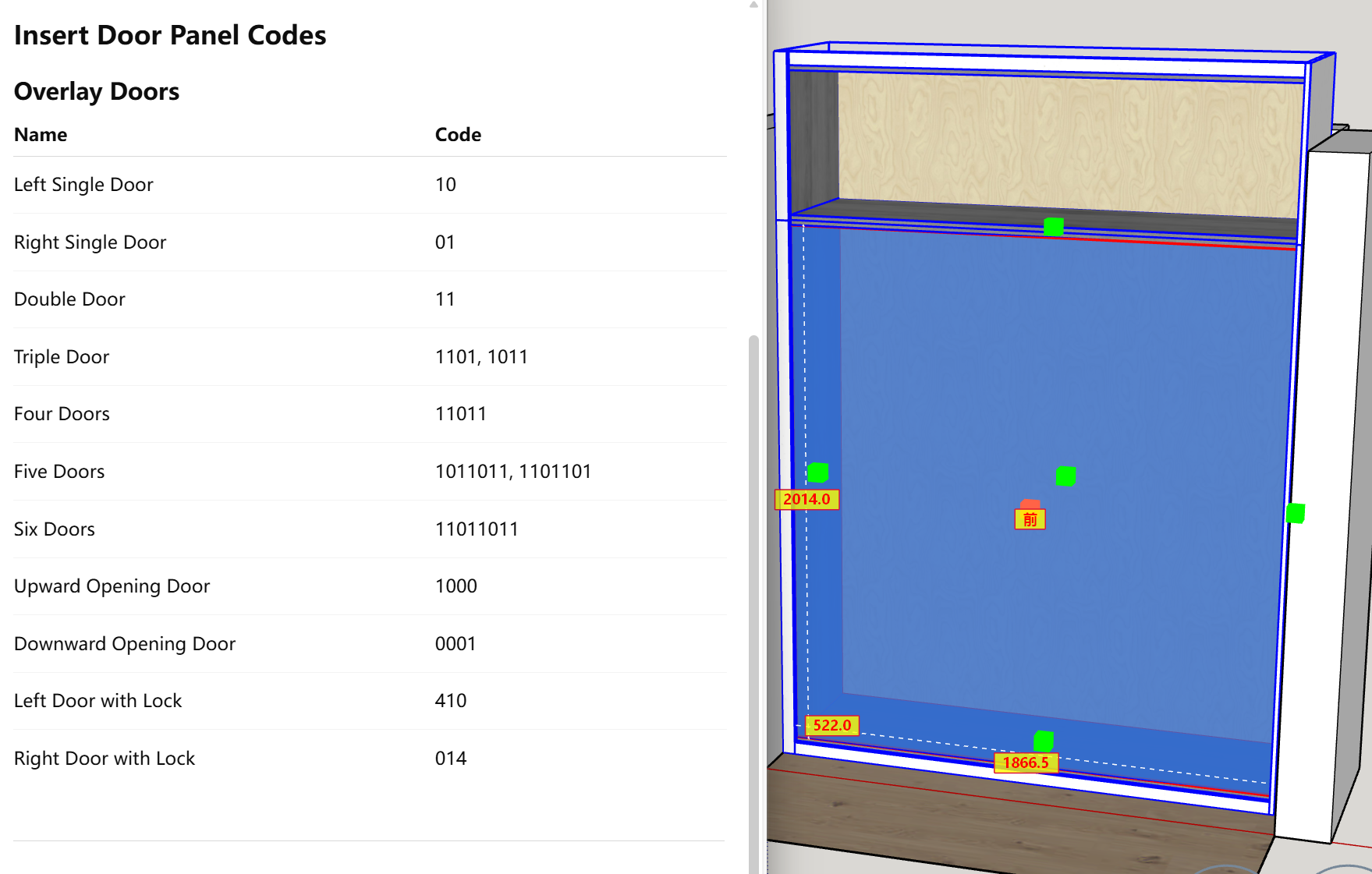
Control drawer stacks, front splits and reveal sizes with numeric values or presets.

Advanced carcass options
Parameter editing carcass options

Detailed carcass options

Quickly switch between different back panels, plinth systems, hanging rails and construction methods without rebuilding cabinets.

Tall units & wardrobes
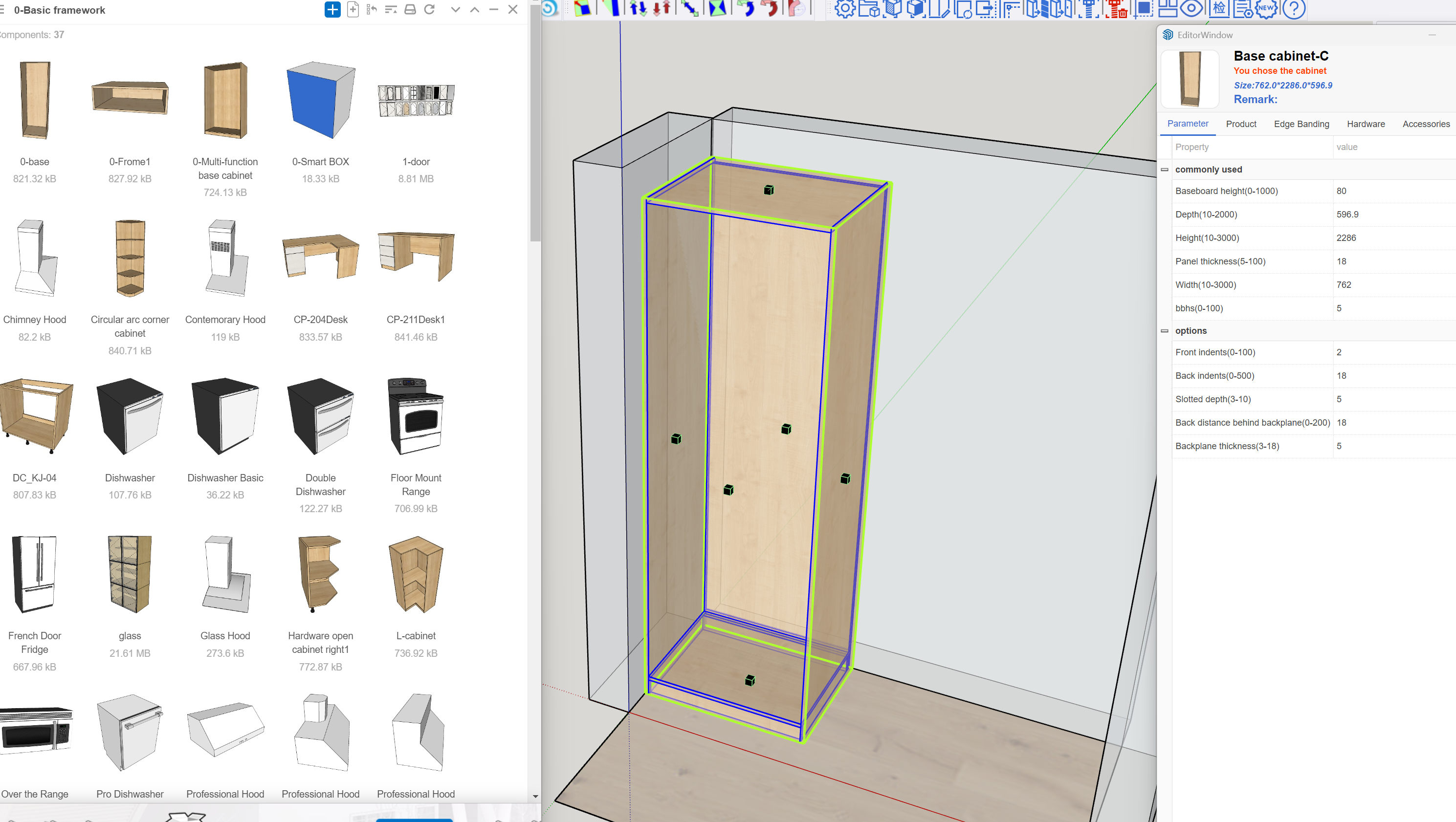
Parameter editing tall units

Focused tools for tall units

Dedicated controls for tall cabinets and utility units โ€“ shelves, internal drawers and appliances โ€“ make complex pieces just as fast to configure.

Individual panels
Parameter editing single panel

Per-panel fine tuning

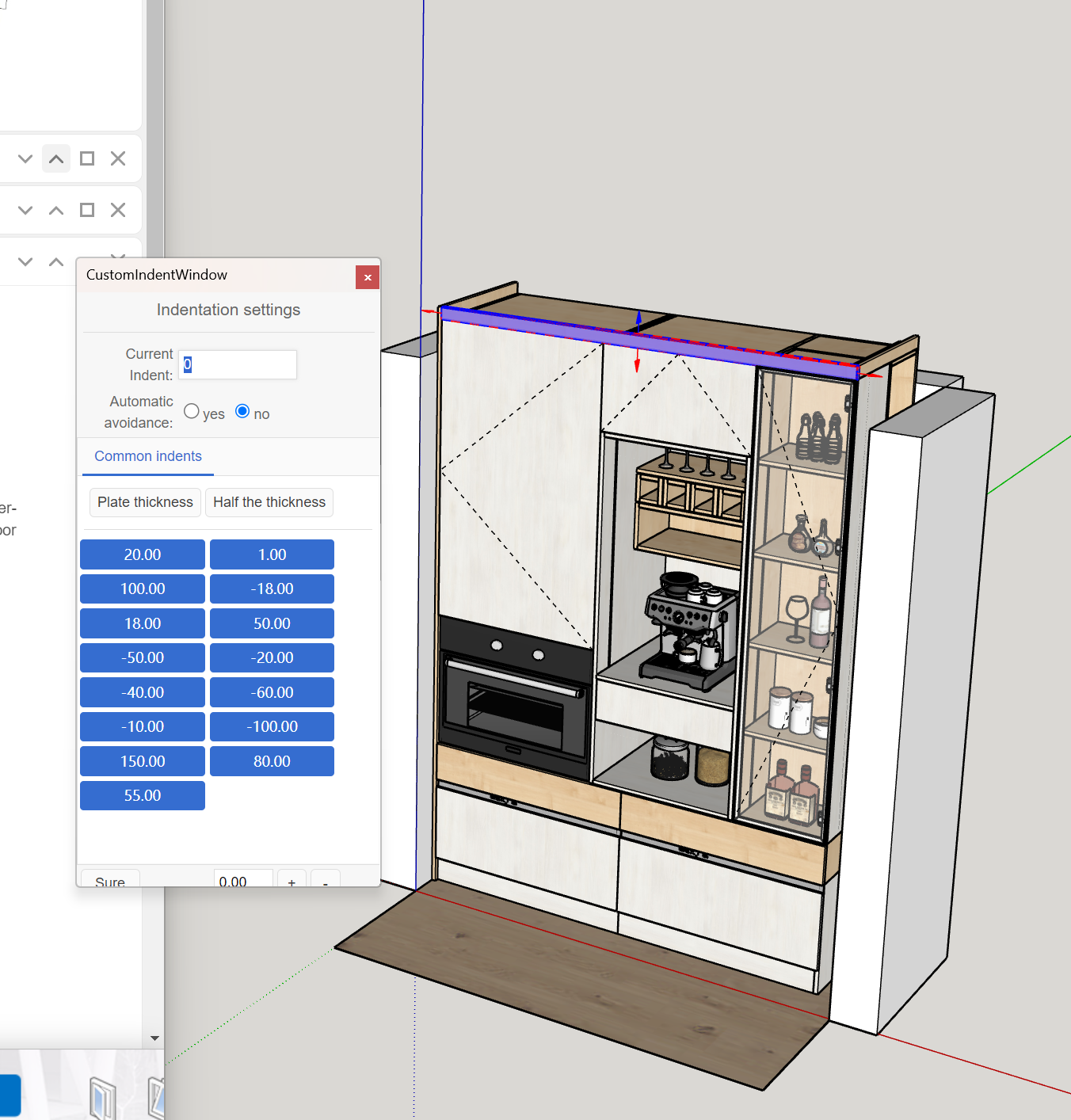
Adjust individual doors and panels โ€“ for example special reveals or hinge layouts โ€“ while keeping the underlying cabinet parametric.

QUALITY & AUTOMATION

Smart recognition, labels & error detection

ArchiWood analyses the room geometry, cabinet panels and machining rules to help you place units, fill spaces intelligently and avoid expensive mistakes before cutting a single sheet of board.

Space recognition
Smart space recognition

Recognise spaces and fill them with modules

Let ArchiWood scan the room geometry and suggest appropriate cabinet modules for each gap. It can automatically populate walls, corners and niches with the right units and panels, ready for refinement.

Panel-level indicators
Panel recognition indicators

Visual indicators for problematic panels

Colour-coded hints and badges show panels that need attention โ€“ for example missing hardware, unusual machining or special materials โ€“ so you can adjust them before exporting.

Labels & QR
Label and QR options

Production-ready labels and QR codes

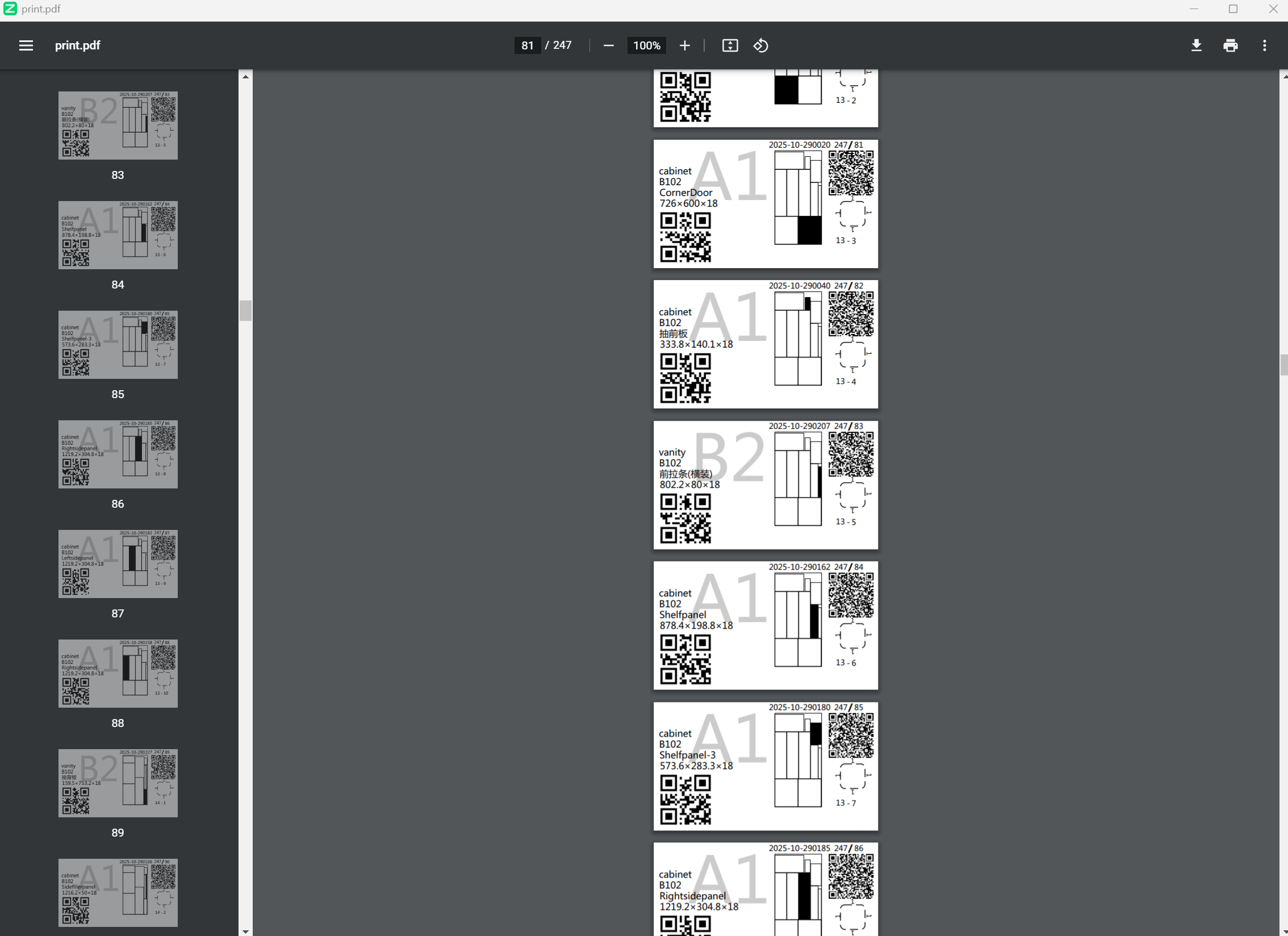
Configure label layouts, QR codes and barcodes to match your production line. Every panel can carry the information operators, assemblers and installers need.

Automatic error detection

Pre-flight check for risky machining

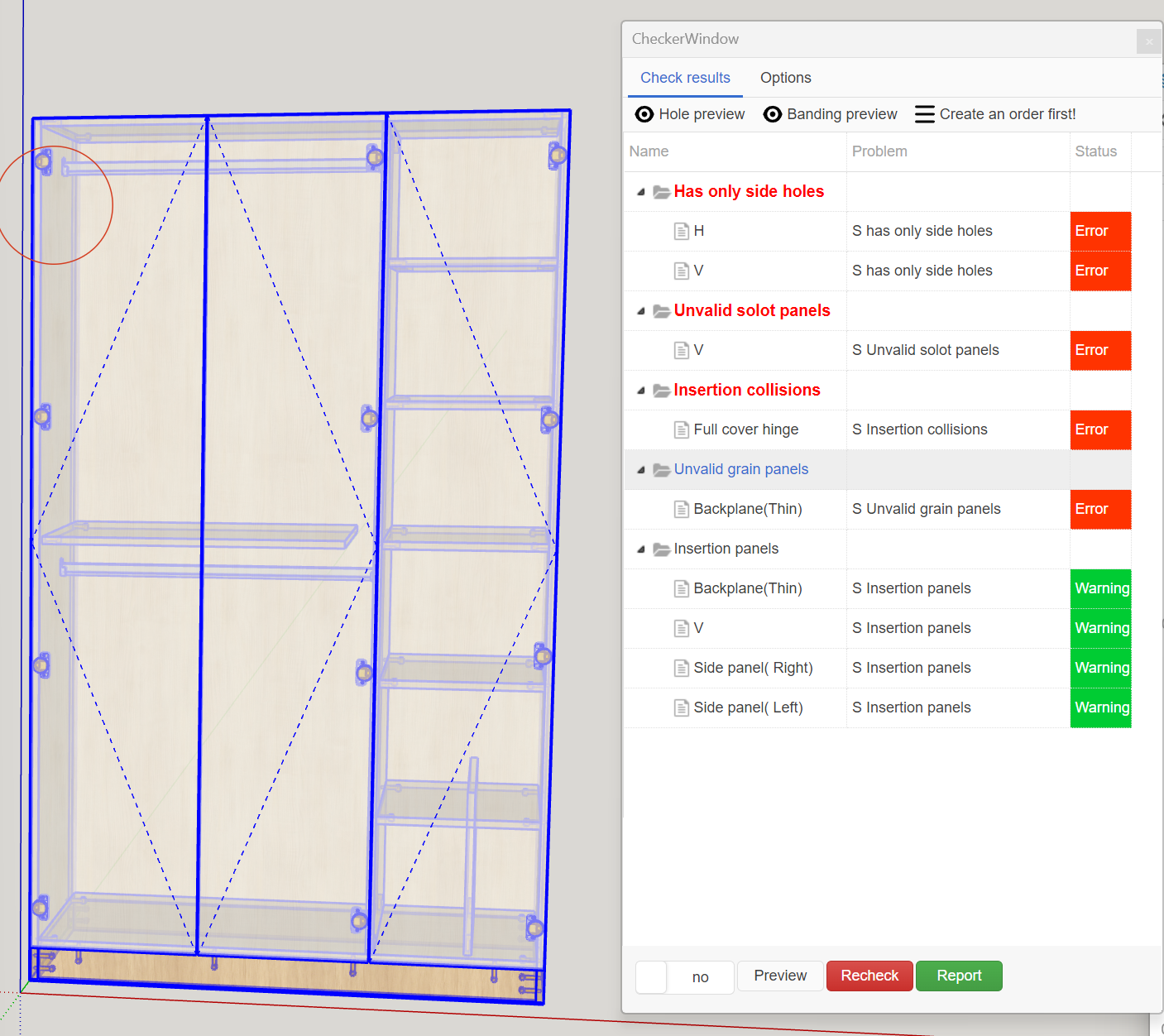
Run error detection for missing parts, impossible drilling or wrong edge-banding before releasing jobs to nesting. The system points directly to the problematic cabinets.

LIBRARIES & HARDWARE

Reusable libraries and automatic hardware placement

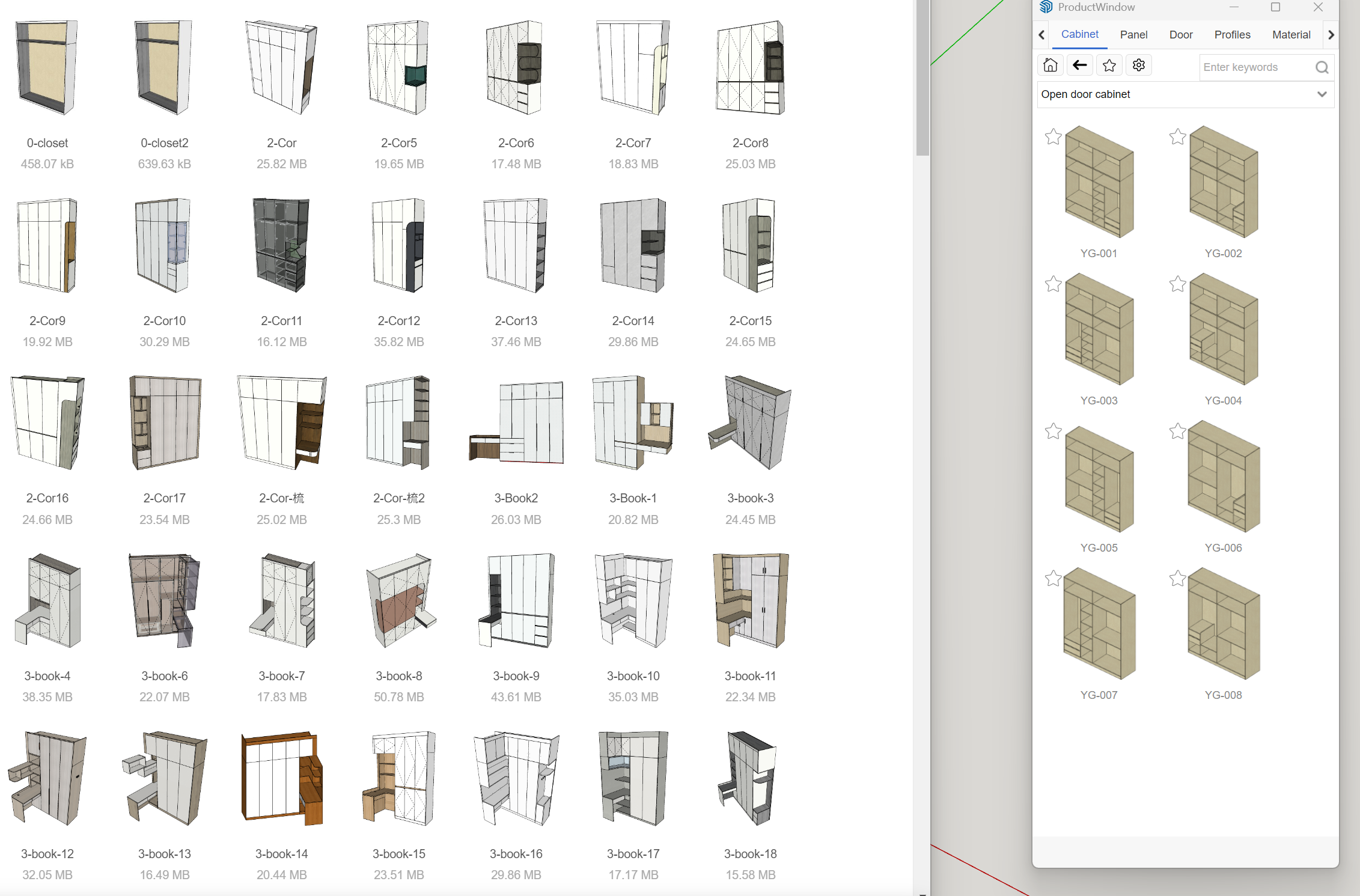
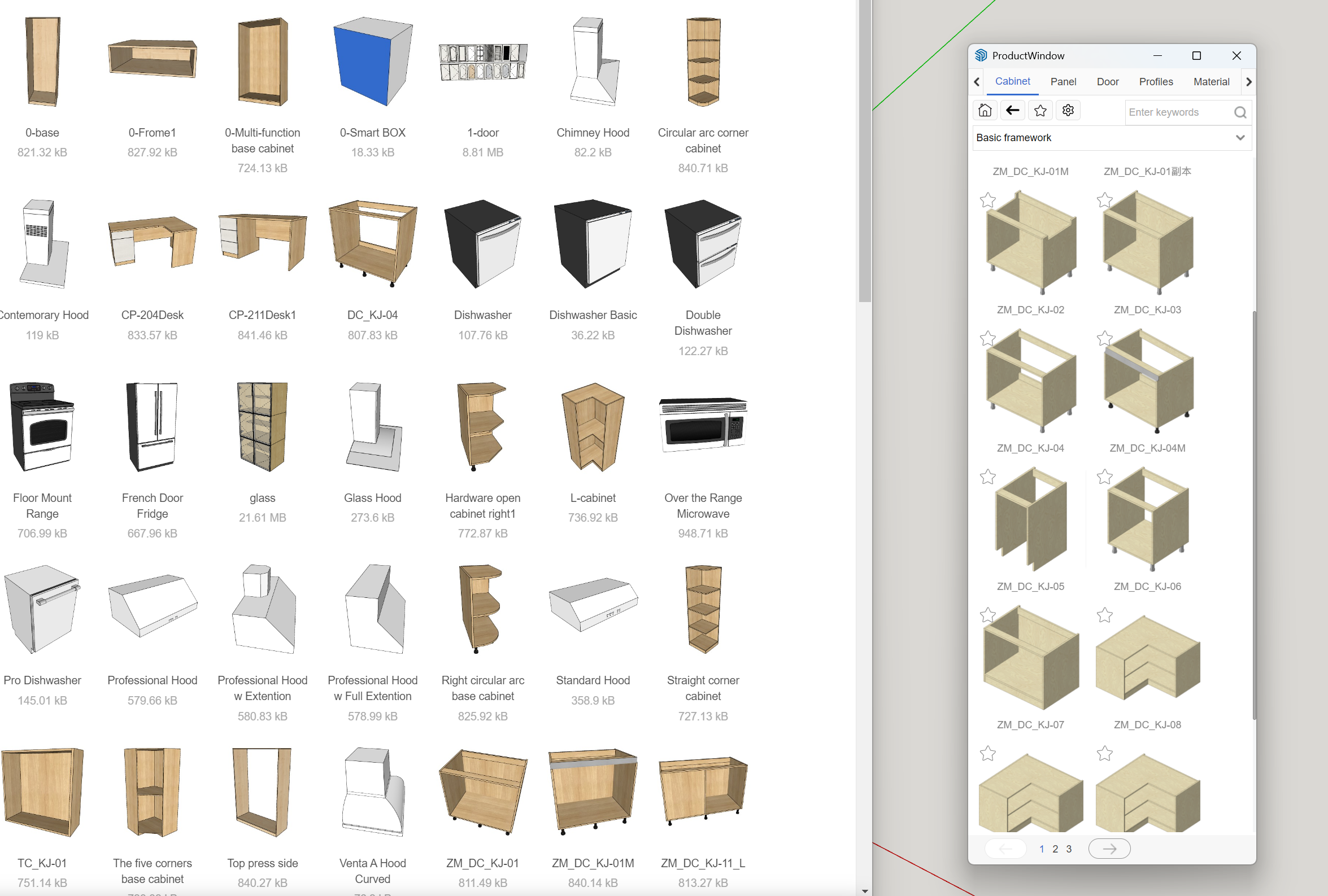
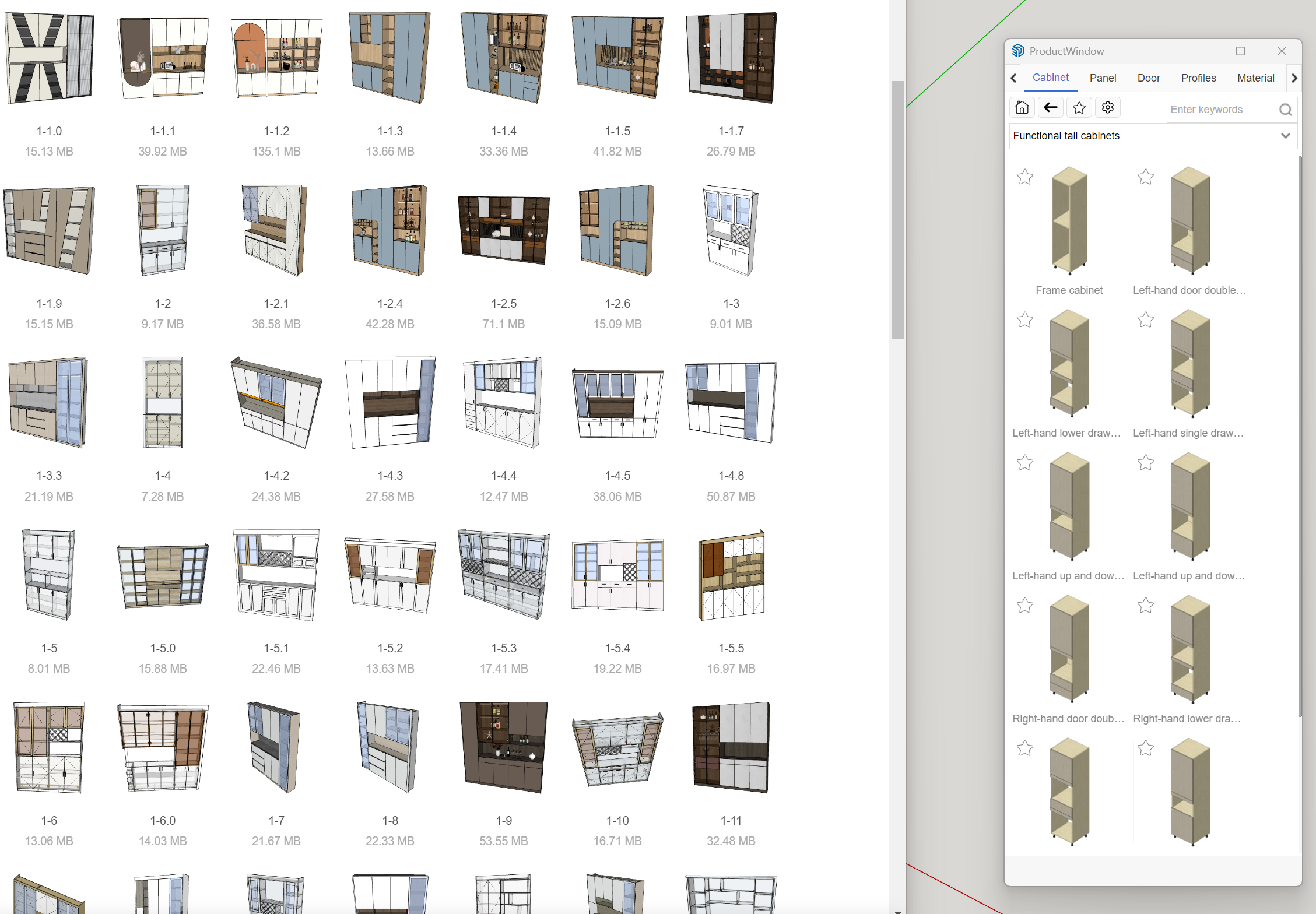
Build once, reuse forever. ArchiWood ships with ready-to-use parametric libraries and then lets you tune them to your own factory standards โ€“ cabinet structures, doors, drawers, fronts, decorative panels and more.

Cabinet library 01
Cabinet library 1

Base cabinets, wall units and tall units

A visual library of standard kitchen and wardrobe modules you can stretch, split and re-configure without losing production logic.

Cabinet library 02
Cabinet library 2

Corner solutions and special elements

Ready-to-use corner cabinets, end panels and special modules help you cover tricky spaces while keeping machining rules consistent.

Cabinet library 03
Cabinet library 3

Decorative panels and detailed components

Detailed components such as pilasters, trims and feature panels let you present and produce more premium designs using the same workflow.

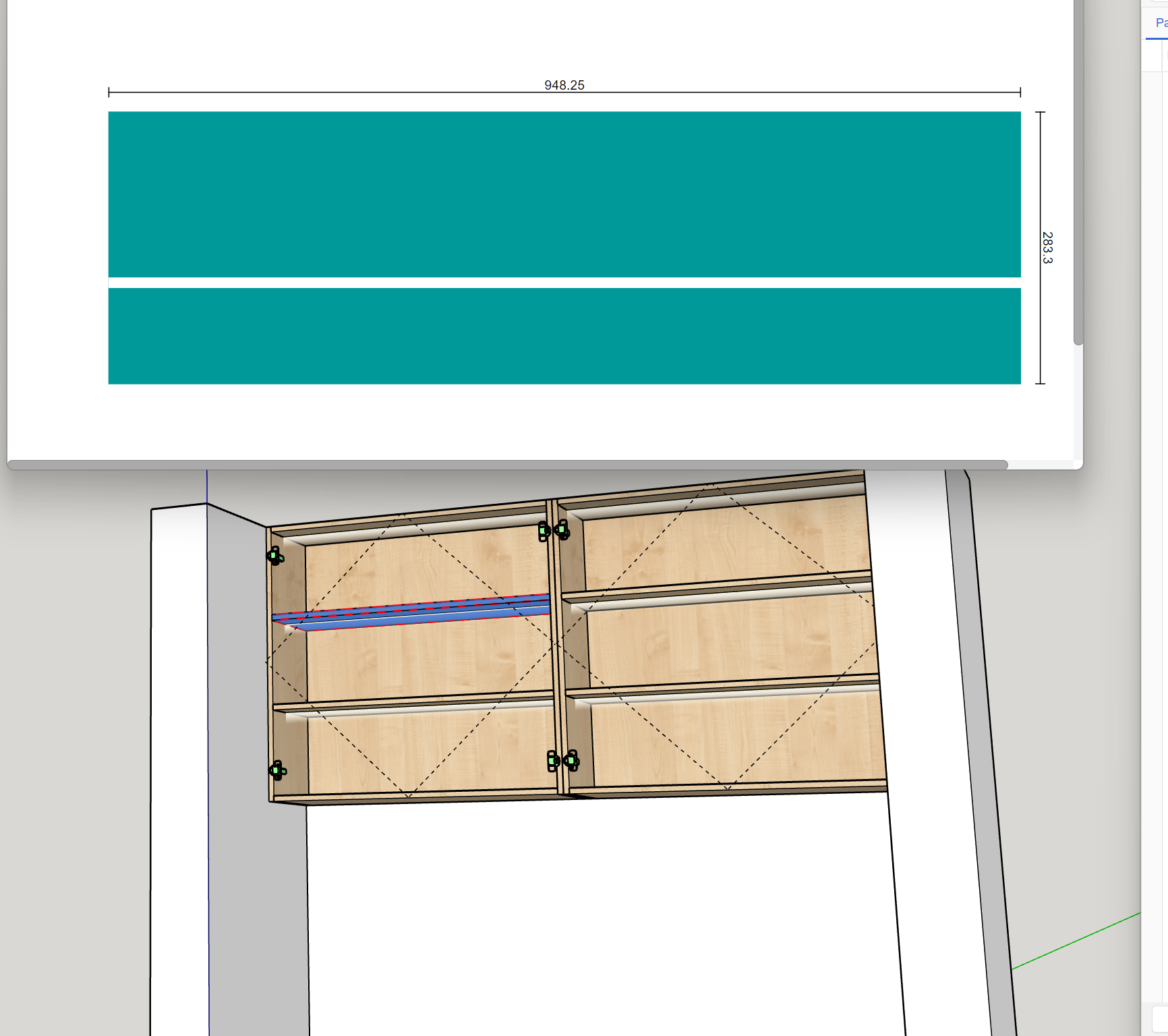
Automatic hardware slotting
Auto hardware slotting

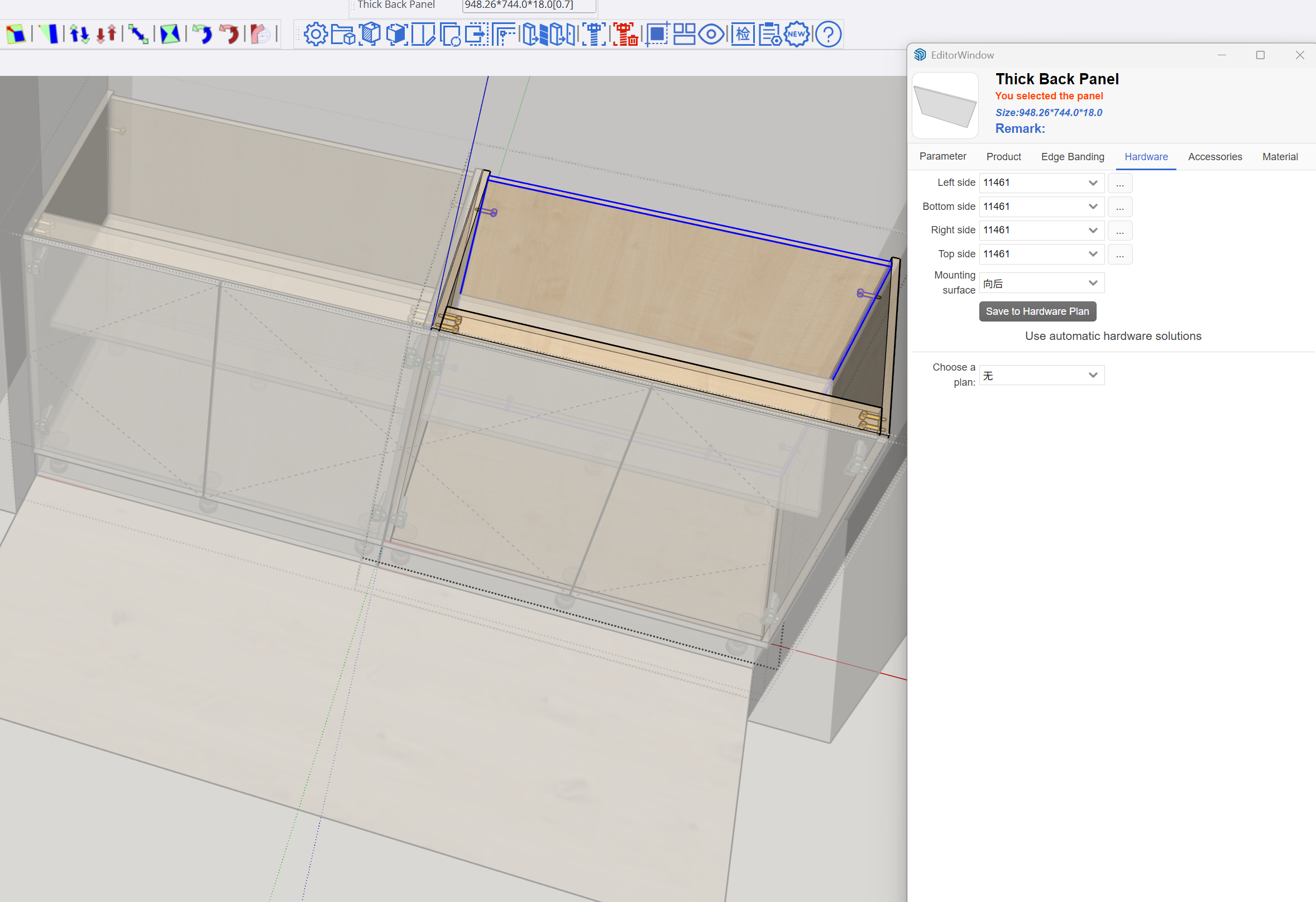
Generate mortises and slots for hardware

Automatically create mortises and slots for connectors according to your hardware brand and rules. When a cabinet changes, its machining updates as well.

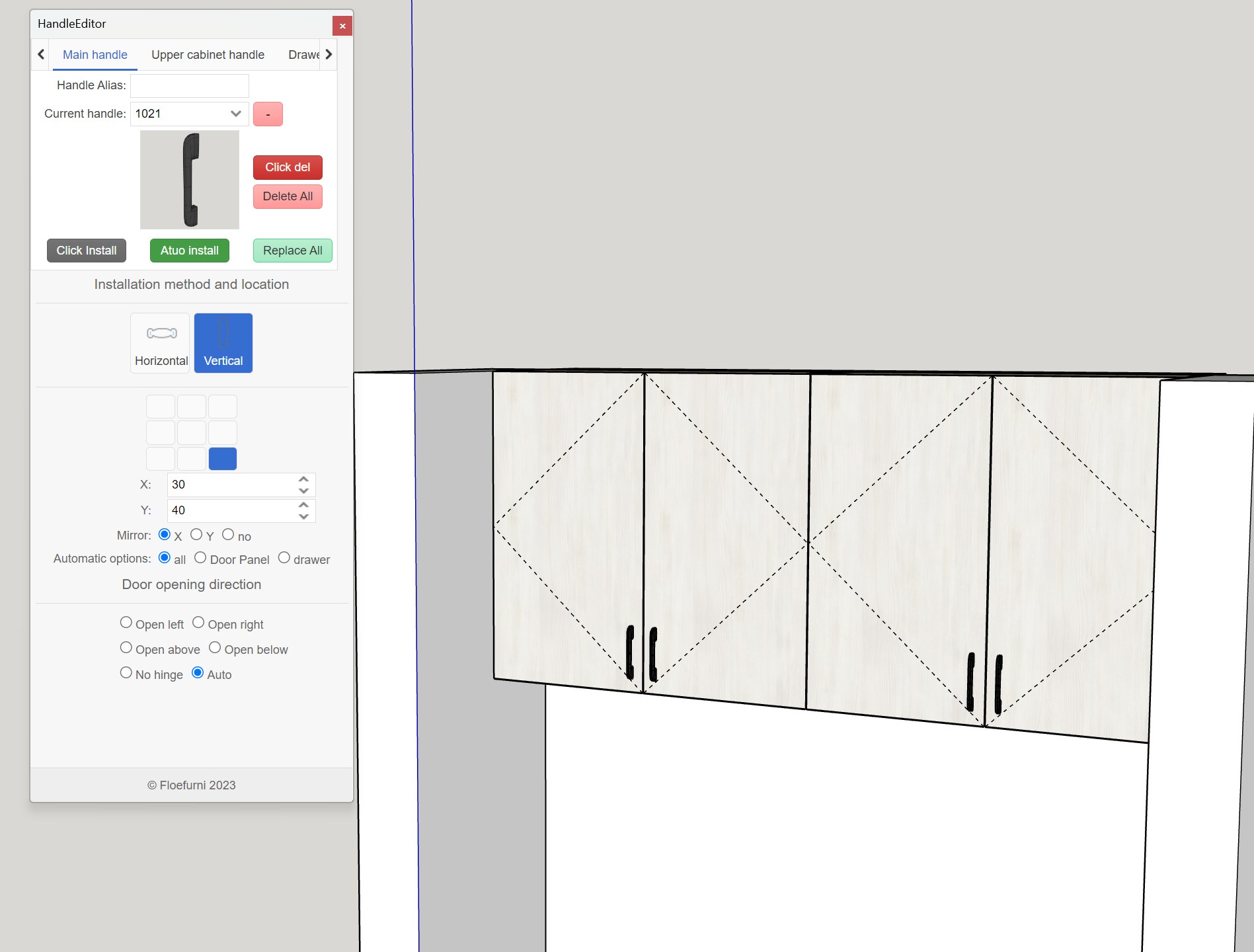
Handle placement
Add handles automatically

Batch handle placement with a click

Place handles and pulls according to rules โ€“ centre, offset, vertical or horizontal โ€“ and then update them for an entire project when the client changes style.

CONTACT

Book a demo or ask about integration

Tell us a little about your factory or studio โ€“ location, machines, current software โ€“ and weโ€™ll walk you through how ArchiWood can plug into your workflow: from design, through nesting, to CNC.

Use any of the channels below. We are happy to schedule a 30-minute online session and walk through a real project using your requirements.

WhatsApp / WeChat
Languages
Chinese ยท English
Typical support
Remote installation, library setup, first real job from SketchUp to CNC.

Video tutorials and English documentation are being updated continuously. During training we usually record the sessions so your team can re-watch them later.